Moment 01
A WordPress development cockpit: live client-site checks, real Lighthouse Core Web Vitals runs, SEO and accessibility auditors, an ACF Flexible Content theme generator, an SFTP deploy runner, and migration checklists.
WordPress Operations & Delivery Dashboard
A WordPress development cockpit: live client-site checks, real Lighthouse Core Web Vitals runs, SEO and accessibility auditors, an ACF Flexible Content theme generator, an SFTP deploy runner, and migration checklists.
“Built the tool a WordPress developer reaches for between the design file and the production push.”
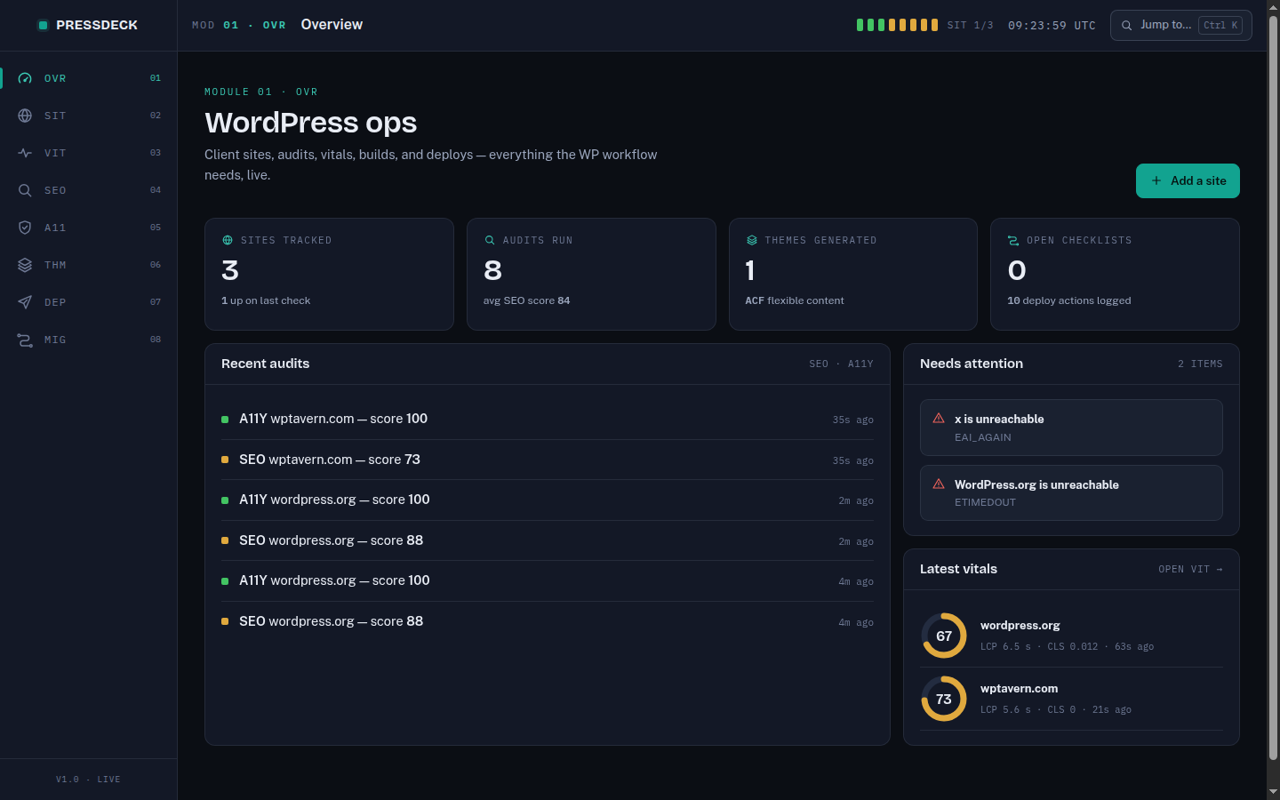
Professional WordPress work is a loop: convert a design into a theme, wire ACF Flexible Content, audit SEO and accessibility, chase Core Web Vitals, deploy over SFTP to managed hosting, and migrate or troubleshoot when things move. Each step usually means a different tool — browser extensions, online checkers, an FTP client, a notes app for the migration checklist. Pressdeck collapses that loop into one dashboard where the checks are real and the outputs are usable artifacts.
A WordPress development cockpit: live client-site checks, real Lighthouse Core Web Vitals runs, SEO and accessibility auditors, an ACF Flexible Content theme generator, an SFTP deploy runner, and migration checklists.
Every module operates on real targets: audits fetch and parse live pages, vitals run real Chrome, and the deploy runner speaks actual SFTP with dry-run safety.
Compressed the WordPress delivery loop — audits, performance runs, theme scaffolds, and SFTP deploys — into one tool with one-click checks.
The hard part was making every promise operational rather than cosmetic. Public performance APIs rate-limit aggressively, so vitals had to run locally. SEO and accessibility checks had to parse real rendered HTML, not guess. The theme generator had to emit PHP that activates cleanly — templates, enqueue logic, and ACF field groups registered in code so fields ship with the theme instead of drifting in a database export. And the deploy runner had to be safe by default: validated targets, key-only auth, and a dry-run manifest before anything touches a server.
Performance Testing
Rate-limited online checkers
Theme Start
Hand-copied boilerplate per client
Deploys
Manual FTP client sessions
I built a Node 22 backend with a site registry and live checkers, a local Lighthouse pipeline with per-URL history, SEO and accessibility auditors producing scored findings, and a theme generator that writes a complete starter theme — nine Flexible Content block layouts, an FAQ block that emits FAQPage structured data, performance and accessibility defaults — zipped for upload. Deploys go over SFTP with per-site config, a connection test, and a dry-run mode; migrations run as persisted checklists built from field-tested runbooks. The interface shares its design system with my Opsdeck command center and installs as a PWA.
Local-first beats API-first for developer tooling. Running Lighthouse in headless Chrome on my own machine removed quotas, kept results private, and made history trivial to store. The same principle shaped the auditors — fetching and parsing pages directly means the findings list reflects exactly what a crawler sees, including JSON-LD schema types, canonical tags, heading structure, and alt-text coverage.
Site Registry + Live Checkers
Local Headless-Chrome Lighthouse
Outcome metrics stay visible while comparison details are compressed into large readable cards instead of long stacked panels.
Rate-limited online checkers
Unlimited local Lighthouse with history
Explore the operating layers and the shipped feature set in the same wider content frame used across the full case study.
Live site registry that detects WordPress, active theme, version exposure, SSL expiry, and latency
Real Core Web Vitals runs via headless-Chrome Lighthouse on my own hardware — no API quotas
25 scored audit checks per site across SEO, JSON-LD schema, Open Graph, and static WCAG rules
Theme generator that outputs an installable ACF Flexible Content starter as a ready-to-upload zip