Moment 01
A React and TypeScript automation builder focused on composing workflow logic visually from a structured roadmap.
Visual Drag-and-Drop Workflow Composer
A React and TypeScript automation builder focused on composing workflow logic visually from a structured roadmap.
“Translated a workflow-builder roadmap into a functioning visual authoring interface.”
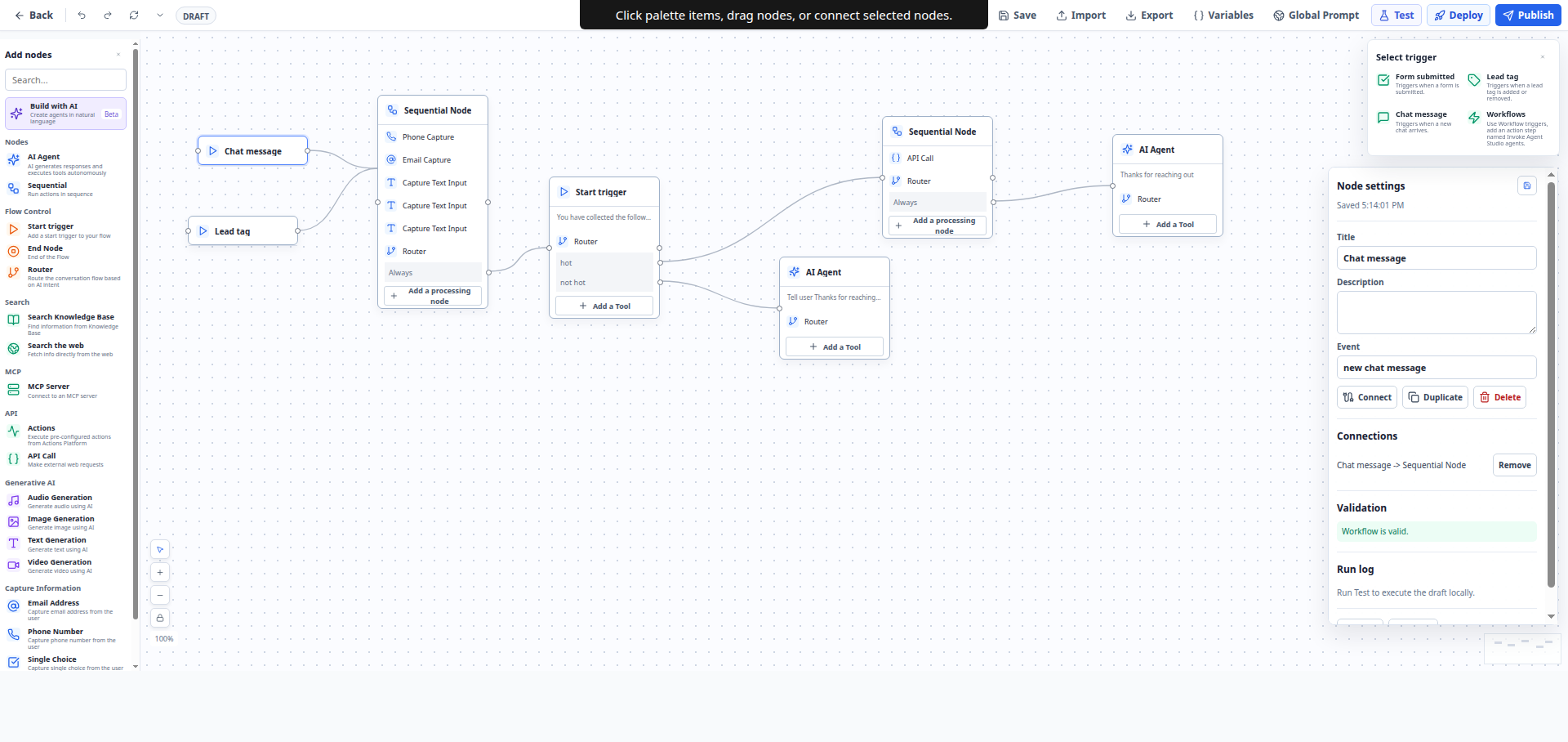
I started Automation Builder to create a cleaner way to compose automation logic without dropping directly into raw JSON or brittle configuration screens. The project needed a frontend architecture that could evolve into a full builder, not just a one-off mockup. That meant organizing the app around reusable UI primitives and future workflow graph interactions.
A React and TypeScript automation builder focused on composing workflow logic visually from a structured roadmap.
Turned an automation product roadmap into a real interface foundation for no-code or low-code workflow authoring.
Provided a visual drag-and-drop authoring interface for composing modular workflow pathways.
Most automation tools become difficult to manage as soon as logic grows beyond a few basic steps. Dense configuration forms hide flow relationships, and technical users end up editing implementation details instead of designing workflows. The challenge was to establish a visual system that keeps flow authoring intuitive while remaining flexible for expansion.
Workflow Authoring
Docs and ideas only
Product Structure
Loose concept
Iteration Speed
Abstract planning
I built the initial React and TypeScript implementation as a visual workflow-composition foundation. The repository is organized to support a dedicated web app and reusable package structure, making it easier to expand the builder into validation, execution previews, and richer node interactions later. It now serves as a concrete base instead of a planning document alone.
The fastest way to unlock future scale was to codify the product roadmap into interface structure early. Once the screen layout, component boundaries, and interaction patterns are concrete, backend and execution models can evolve around a stable builder experience instead of the other way around.
React Frontend
TypeScript UI Contracts
Outcome metrics stay visible while comparison details are compressed into large readable cards instead of long stacked panels.
Docs and ideas only
Interactive builder foundation
Explore the operating layers and the shipped feature set in the same wider content frame used across the full case study.
Drag-and-drop workflow composition experience
Structured roadmap translated into a working interface
Modular app and package layout for future expansion
Frontend foundation for automation authoring flows